
Create an anniversary party invitation to share with everyone
Bring every detail of your anniversary party together on one mobile-friendly invitation page. Add milestone, date, venue, dress code and RSVP, then share one clear link by text, iMessage or email. With Premium you also see who is coming, send reminders and add an event schedule.
Ready in a few minutesAnniversary party, guest details and, with Premium, replies in one place
A clearer way to organize your anniversary party
Your invitation should feel polished, celebratory and easy to share. Invitedd keeps the experience simple for you and every guest.
- One link with every detailKeep milestone, date, venue, dress code and RSVP together, so guests do not have to search through separate messages.
- RSVP without message chaosPremiumGuests respond from their browser. You can see who is coming and who still needs to reply in one overview.
- Update information after sharingChange a time, address or practical note once. Everyone opening the original link sees the latest version.
Anniversary party invitation wording examples
Use these examples as written or adapt the tone, names and details to fit your event.
Twenty-five years together is worth celebrating. Join us on Saturday, October 10 for dinner, music and memories. Please RSVP through the invitation.
We are marking a special anniversary and would love to celebrate with you. Open the link for the full schedule and location.
Save the date for our anniversary party on May 16. Drinks start at 7:30 pm and dancing follows. Let us know if you can be there.
Choose a design that fits your anniversary party
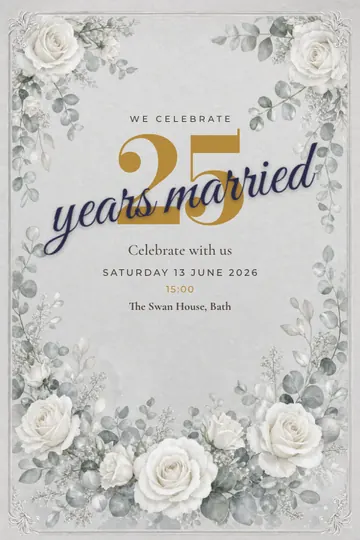 Silver anniversary
 Golden anniversary
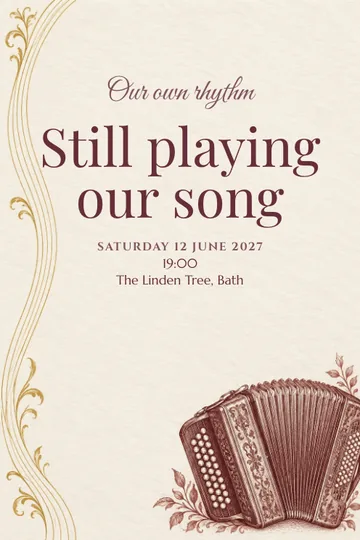 Our love song
 The finest partnership
 Keep looking together
- Design your ownFonts, colours, stickers and your own photoIn the editor
- Designed for the occasionChoose a visual style that supports the mood of your anniversary party without distracting from the details.
- Made for mobile sharingThe invitation stays readable and polished when guests open it from a text, email or social media.
- Personal and editableAdd your own wording, flyer and practical information, and keep adjusting them whenever plans change.
How it works
- Choose a design and add your detailsPick a design for your occasion and fill in the date, time, location and a personal message. Your text appears on it right away.
- Add the practical detailsAdd a wishlist or date poll. Premium adds RSVP and guest list management, including your own questions or a dress code.
- Share the link with your guestsSend one link by text or email. Guests do not need to download anything and reply without an account.
Frequently asked questions about anniversary party invitations
What hosts usually want to know before creating and sharing their invitation.Can I send my anniversary party invitation by text message?
Yes. Once your invitation is ready, paste its link into a text, iMessage, group chat or email. Guests open it directly in their browser.
Do guests need an account or app?
No. Guests view the invitation, and with Premium submit their RSVP, in a modern browser on phone, tablet or desktop.
Can I change the invitation after sending it?
Yes. Update the text, time, location or other details at any point. The shared link always opens the current version.
What should I include in a anniversary party invitation?
Include the essential milestone, date, venue, dress code and RSVP. Add a clear reply deadline so you know when to finalize your plans.
Create your anniversary party invitation today
Start for free, add your details and share a polished invitation in just a few minutes.