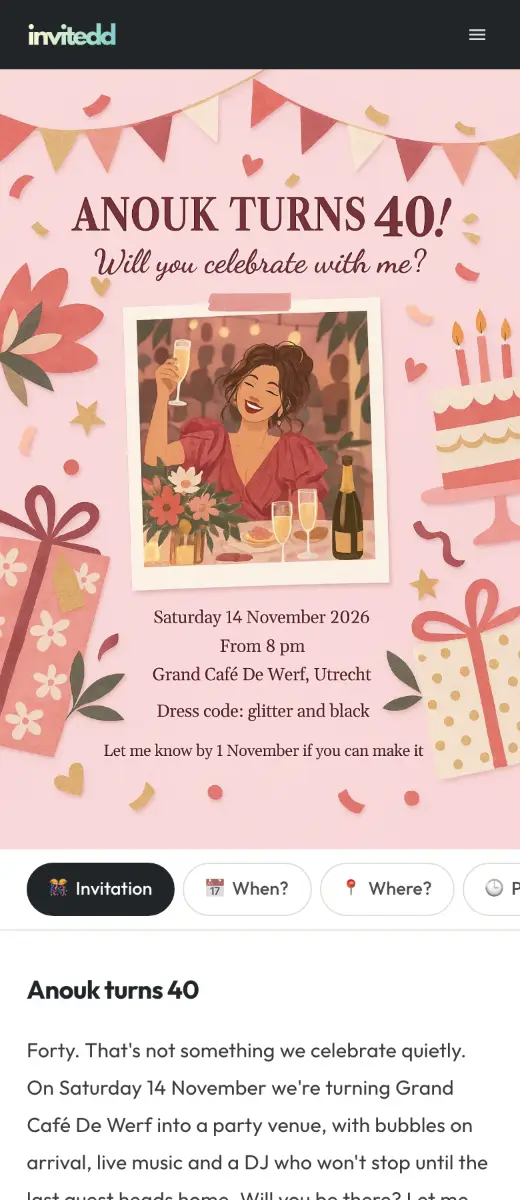




Make a digital invitation and share it by text
Choose a design, add the date and address and send one link. Guests open it in their browser. With Premium you see who's coming.
Start for freePremium $5.99 per party, one timeNo subscription
Invitations by occasionBy occasion
See all designsHalloween is coming. Who will be at yours?
Invite your friends to a spooky night. Date, address and dress code are all in one link.
Halloween invitations

Popular this month
For every party, big or small
Free
$0- Invitation
- A flyer, your own words and unlimited guests
- Sharing
- One link by text, email or QR code
- Extras
- Wishlist, date poll and a block of your own
- Insight
- See how often your invitation was viewed
Premium
$5.99 per party, one-time- Replies
- Who is coming and with how many
- Reminders
- Guests who have not replied get a nudge automatically
- More on your page
- Programme, polls, photo wall and up to 8 blocks of your own
- Your own link
- Choose what the address of your invitation is called
On your invitation
Wishlist
Guests reserve a gift, so nobody buys the same thing.

Date poll
No date yet? Suggest a few and pick the day most guests can make.
Photo wall
With Premium, guests share their photos in one place after the party. You decide what stays visible.
Why a digital invitation beats a paper card
Share it your way
One link by text, WhatsApp, email or a QR code. Guests download nothing.
See who's coming
With Premium, guests reply with their name, no account needed. You see it right away.
Change it after sending
New date, address or schedule? Everyone sees it on the same link.
From the blog
Wedding Invitation Wording: 35+ Examples for Every Situation
When to Send Wedding Invitations: A Complete Timeline
When to send wedding invitations, save the dates and RSVP reminders, plus how destination weddings and digital invitations change the timeline.Digital vs Paper Wedding Invitations: An Honest Comparison
The real pros and cons of digital and paper wedding invitations, how to compare costs for your guest list, and how to make a hybrid approach work.How to Ask Guests to RSVP (With Polite Reminder Wording)
RSVP etiquette, smart deadlines and copy-ready reminder wording for text and email, plus how to handle no-responses, plus-ones, kids and regrets only.How to Send Party Invitations by Text (With Templates)
Group text or individual messages? Etiquette, timing and copy-ready text invitation templates for birthdays, cookouts, Friendsgiving and more.
Frequently asked questions
Don't see your question? Contact us
Is making a digital invitation free?
Yes. You make and share it for free, with a wishlist and a date poll among other things. For RSVPs, reminders, polls and a schedule there is Premium for $5.99 per party.
Do my guests need to download an app?
No. The invitation opens in the browser on their phone or computer.
How do I share my invitation by text?
You send one link in a text, WhatsApp or group chat. Guests tap it and see everything.
How does the date poll work?
You suggest a few dates, guests pick what suits them and you choose the day.
What parties can I use Invitedd for?
Any party, from a kid's birthday to an office party. There are designs for every occasion and you can upload your own flyer too.
Everything about pricing, designs and sharing: how to create an online invitation
All questions